



Let shoppers request a quote from a quote list or the checkout, price it in the order editor, and let them accept and pay it online.
Hera Request a Quote is for stores where the price depends on the order: stores that sell to businesses, or sell made-to-order, bulk or variable-price goods, such as printing, equipment, building supplies, wholesale to the trade, catering and events. Shoppers ask for a price instead of paying, you answer with a quote, and they accept it by paying online.
What it does
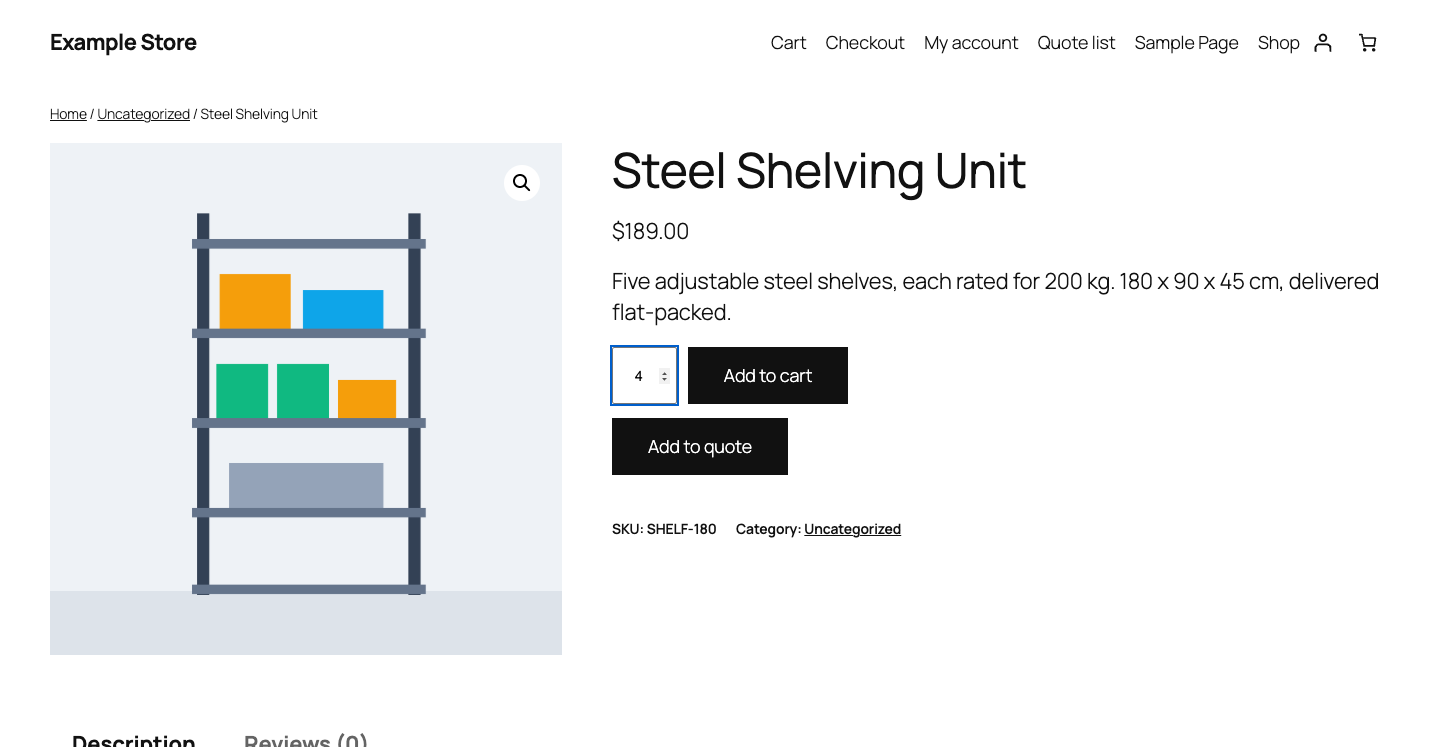
- An Add to quote button on product pages, alongside Add to cart or in its place, and in product grids for products without options, the Product Collection block included.
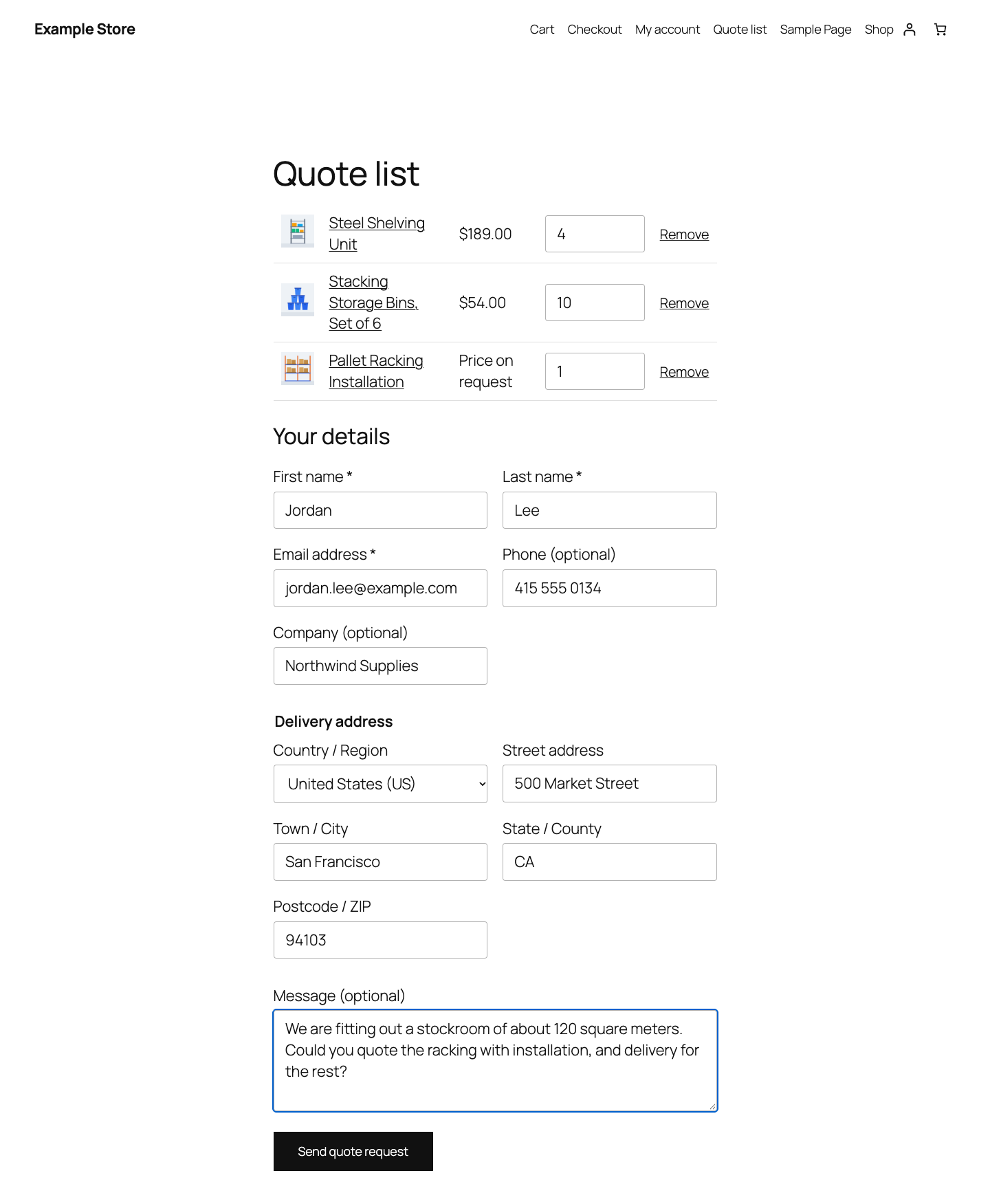
- A quote list page where shoppers review what they added and send it with their details and a message.
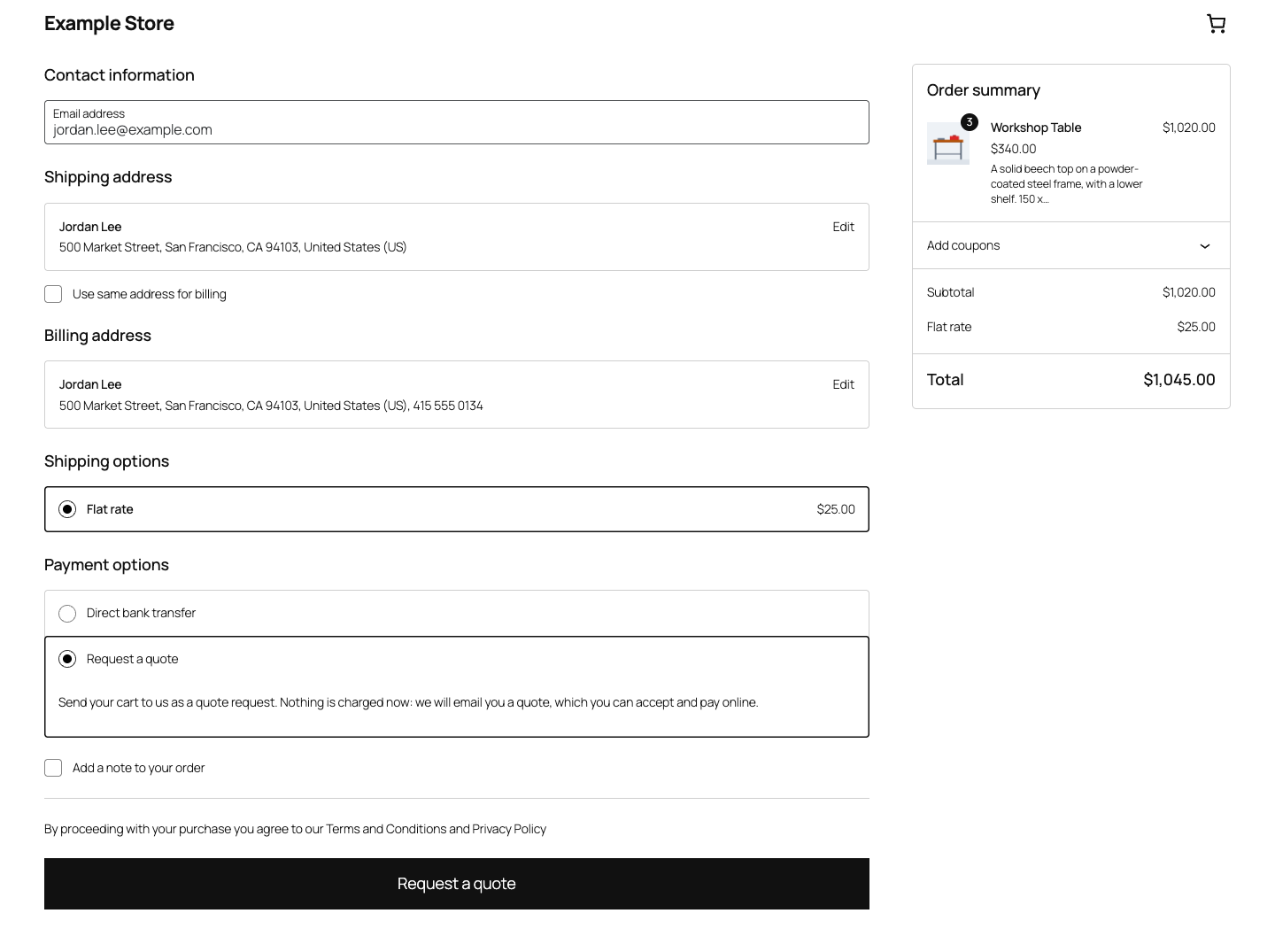
- Request a quote as a payment method at checkout, in the Checkout block and the classic checkout, with a Request a quote instead link in the cart. It is off until you turn it on.
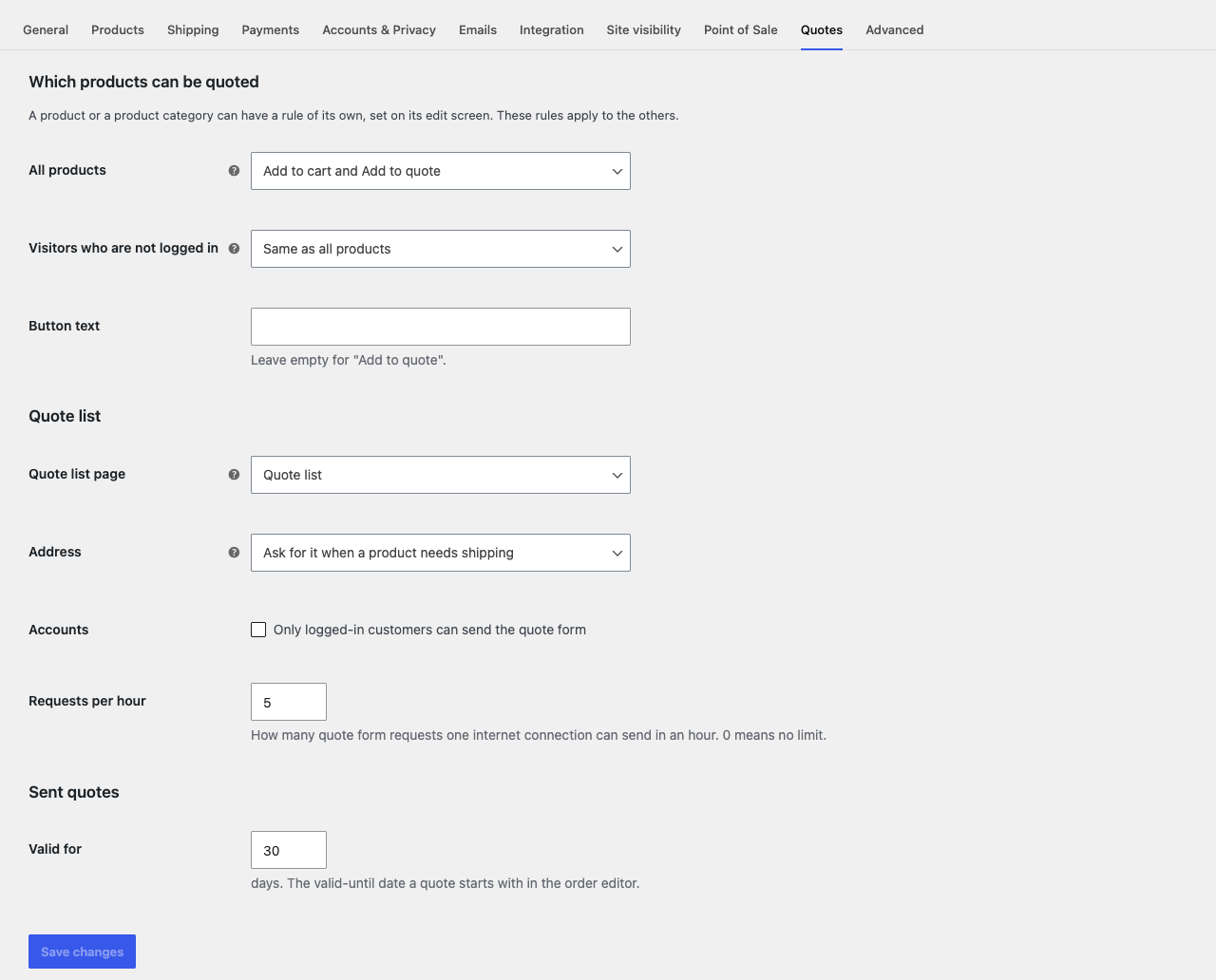
- Rules per product, per category, for visitors who are not logged in, and for the whole store: Add to cart and Add to quote, Add to quote only, Add to quote only with the price hidden, or Add to cart only. A hidden price reads Price on request on the storefront, and is left out of the product data the store's blocks load and of the data search engines read.
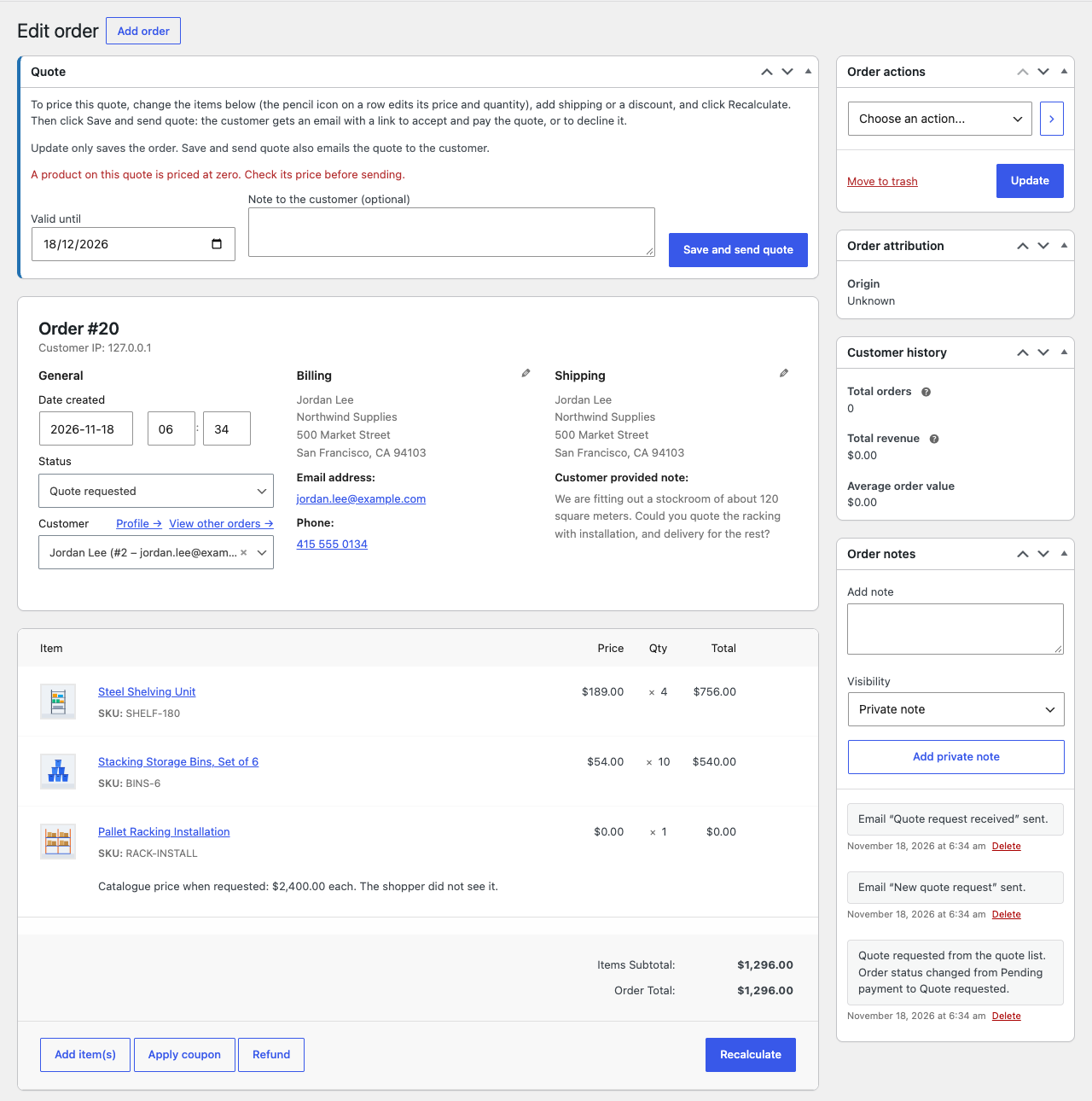
- Every quote is an ordinary WooCommerce order. Requests arrive in a Quote requested status, which takes no stock and is kept out of WooCommerce Analytics.
- You price a quote in the order editor you already know: change item prices, add shipping, a fee or a coupon, and click Recalculate. A Quote box there adds a valid-until date, a note for the customer and Save and send quote.
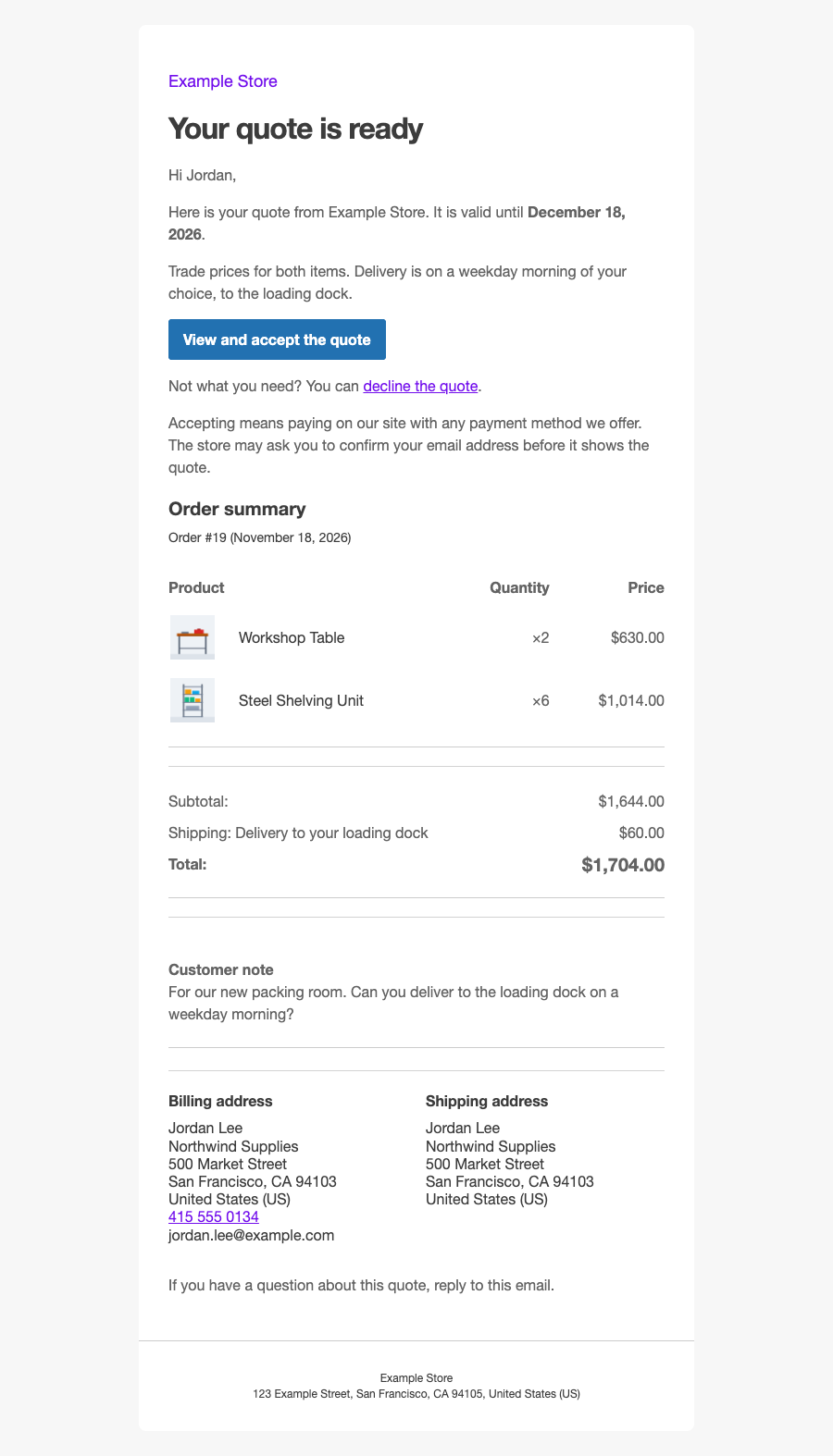
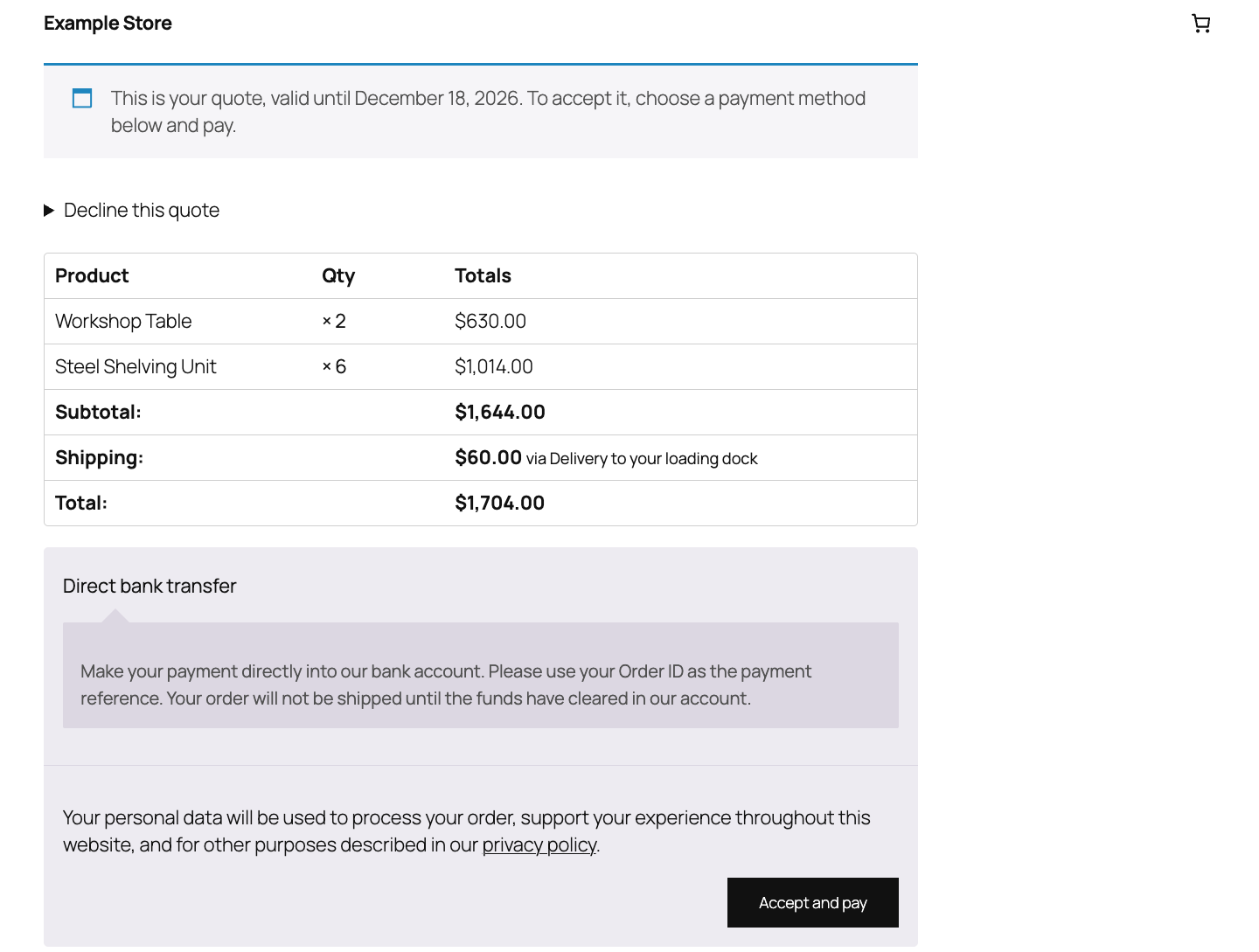
- One Your quote email, with a button to view and accept the quote and a link to decline it. Accepting means paying on WooCommerce's order payment page, with any payment method your store offers, including bank transfer.
- Declining takes a click on a button, so email security scanners that open links can never accept or decline a quote.
- Quotes expire at the end of their valid-until day, in your store's time zone. A payment that fails leaves the quote open until then.
- A Quotes tab in My Account for customers with an account, with each quote's status and its Accept and pay and Decline buttons. Quotes stay out of the Orders tab until they are accepted.
- A Quote column in the orders list, and four emails you edit under WooCommerce > Settings > Emails: New quote request, Quote request received, Your quote and Quote declined.
- Works with High-Performance Order Storage (HPOS) and with legacy order storage.
What it leaves out
- It uses no outside service. Requests are stored as orders in your store.
- The quote list stays in the shopper's browser until it is sent, so the plugin sets no cookie and starts no session while shoppers browse, and page caching keeps working.
- The quote list form's spam protection needs no outside service either: a hidden field for bots, a signed form token, and hourly limits per connection, per email address and per store. It has no captcha of its own; a developer can add one.
- Filtering or sorting products by price still uses the real price of a product whose price is hidden.
- A quote is accepted by paying it. With an offline method such as bank transfer or cheque, the order goes On hold until you confirm the payment, as any order paid that way does.
- Deleting the plugin removes its settings and the quote rules of products and categories. Every order stays, an open quote moves to Pending payment with a note, and the Quote list page stays too.
An independent plugin, not affiliated with, endorsed by or sponsored by WooCommerce or Automattic. WooCommerce is a trademark of Automattic Inc.