



Find the plugin behind a critical error, broken pages and problems that start after an update, explained in plain words.
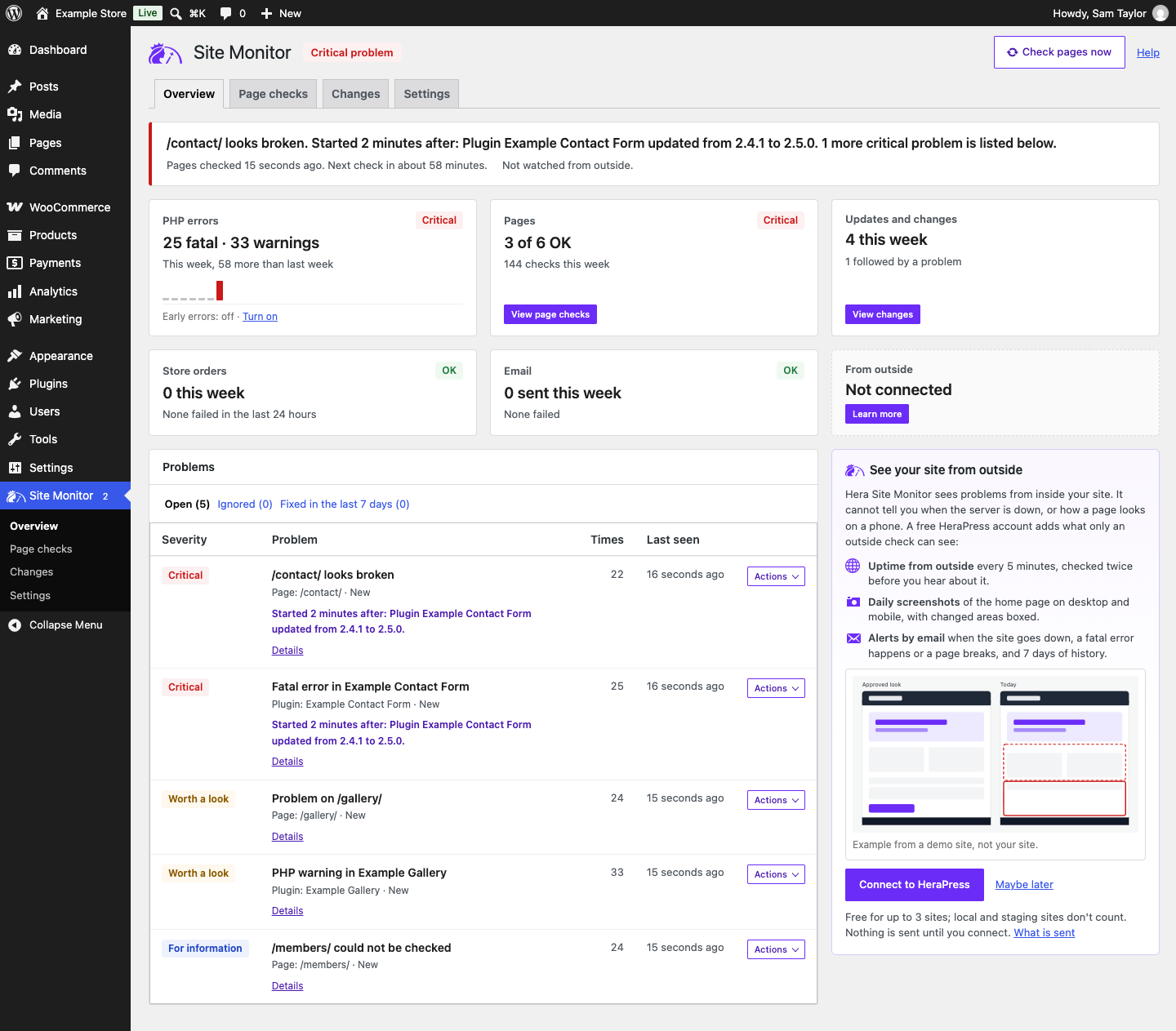
When your site shows “There has been a critical error on this website”, a page loses its design or something breaks right after an update, Hera Site Monitor tells you in plain words which plugin or theme it came from, whether it started right after a change, and what to do. It watches your WordPress site from the inside for the problems visitors notice before you do, and counts how often each one happens.
What it does
- Records PHP fatal errors and warnings on every kind of request, including fatal errors on public pages, which WordPress itself does not email you about.
- Names the plugin or theme behind each error, even when the error is raised inside WordPress’s own code by a plugin that called it.
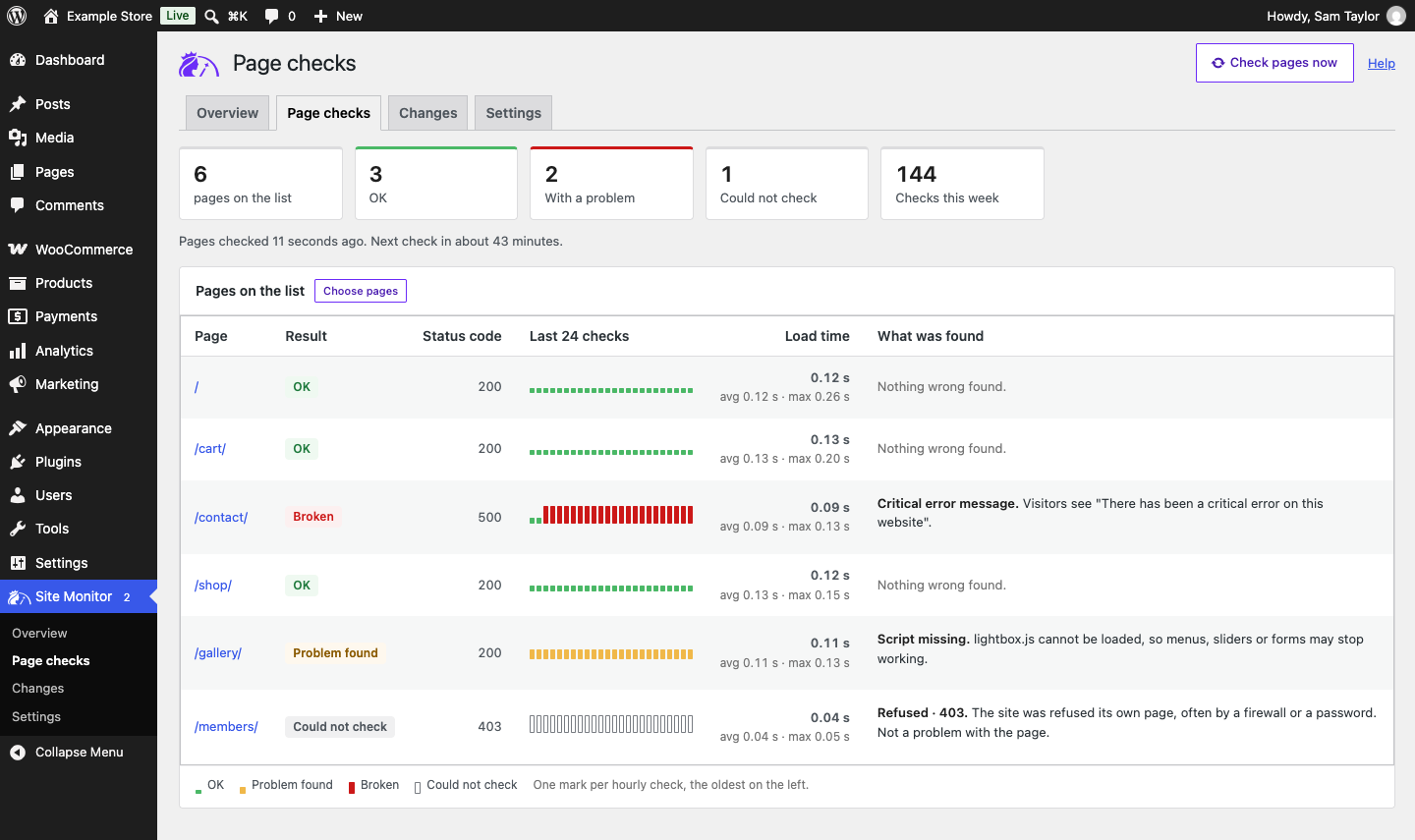
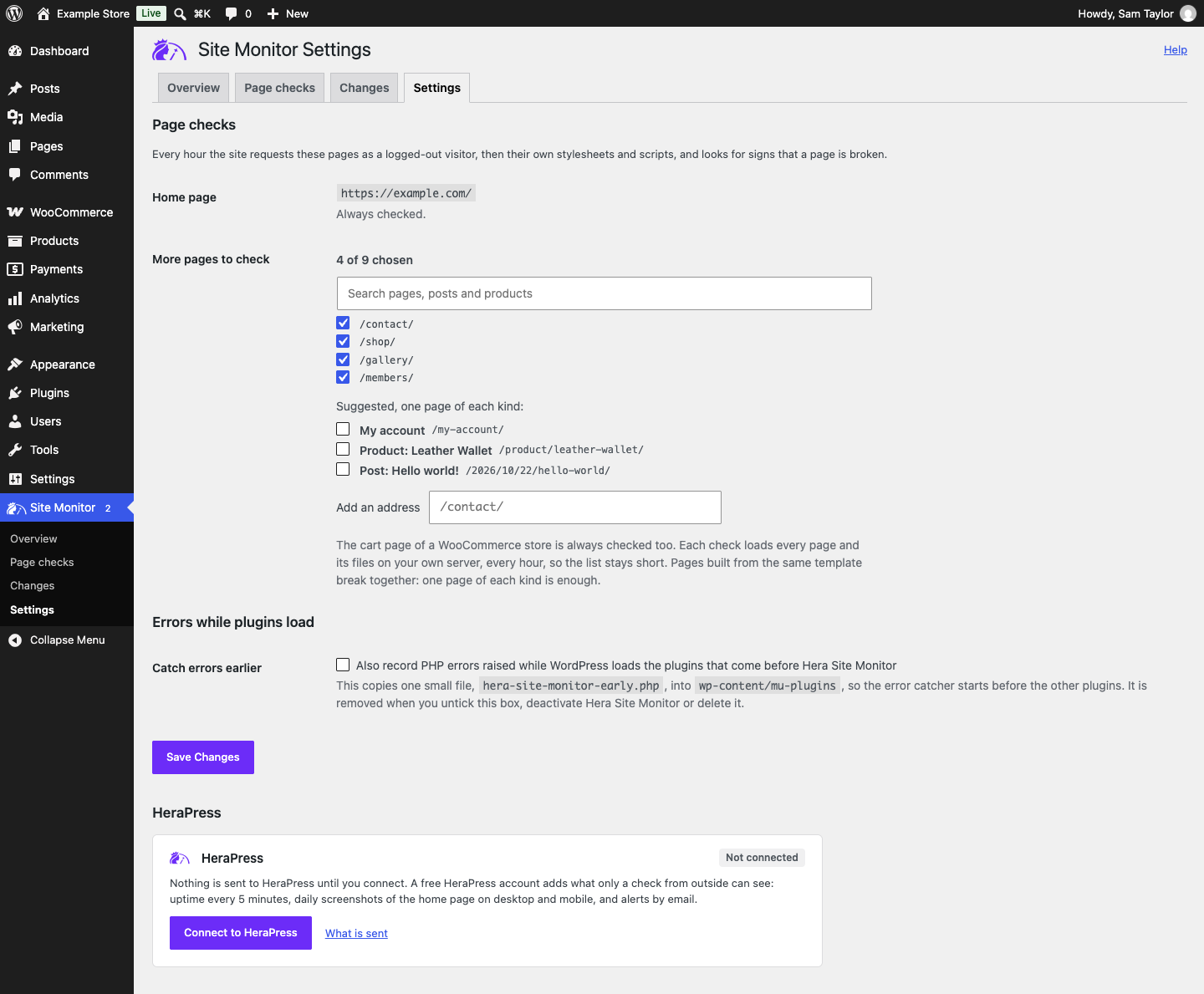
- Checks your home page and up to nine more pages every hour, picked from suggestions of one page of each kind or by searching your content. It loads each page as a logged-out visitor, then the page’s own stylesheets and scripts, and looks for error pages, blank pages, redirect loops, missing or refused stylesheets and scripts, PHP messages shown to visitors, insecure files on https pages, and pages that lost their design or most of their content.
- Says Could not check instead of reporting a broken page when a host, firewall or password stops the site from loading its own page, when the page sends the check on to another address, or when a maintenance or coming soon mode it recognises answers instead.
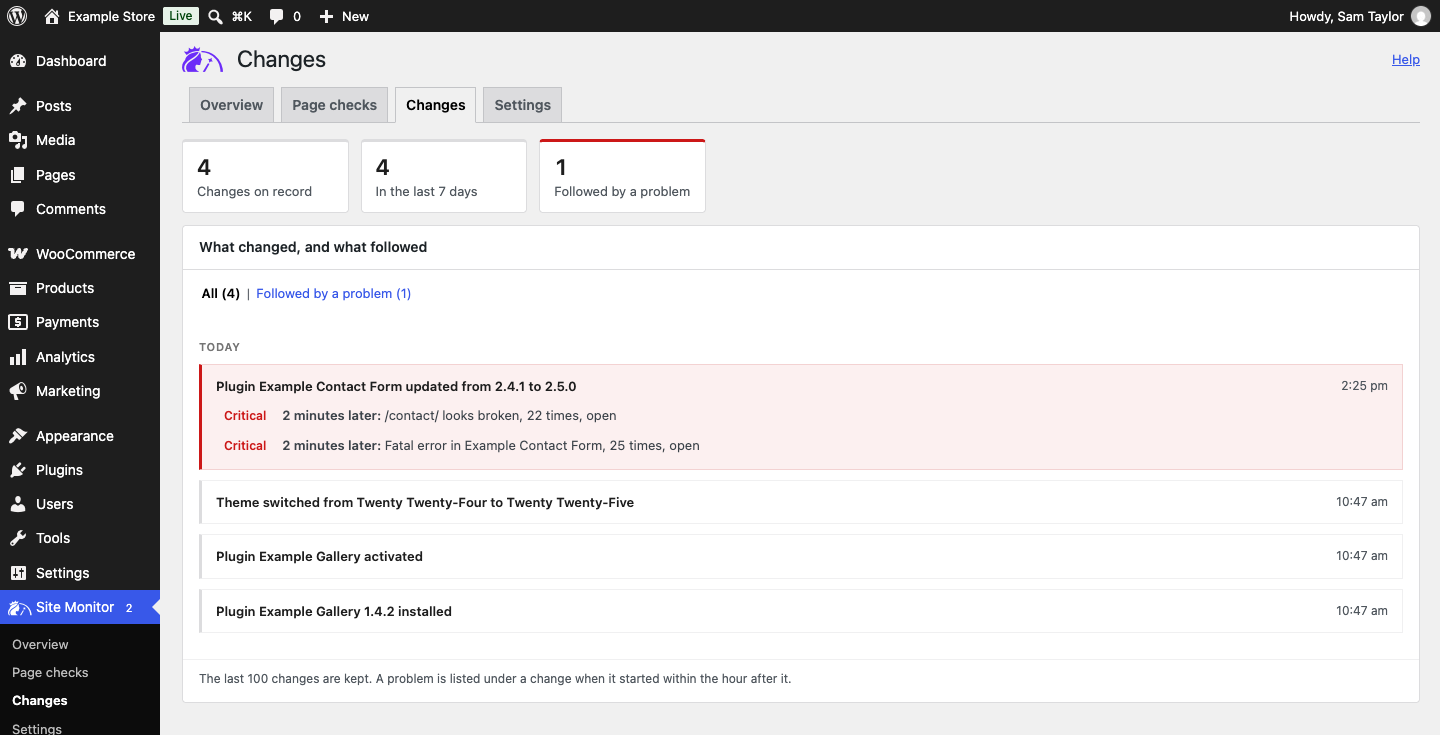
- Notes every update, installation, activation, theme switch and PHP version change, checks the pages again shortly after an update, and tells you when a problem started right after a change.
- For WooCommerce stores: reports a spike of failed orders, which often means a payment method stopped working or someone is trying stolen card numbers on your checkout, hours without any order when those hours are usually busy, and a cart page that no longer shows the cart. It reads orders and never places one. Works with High-Performance Order Storage.
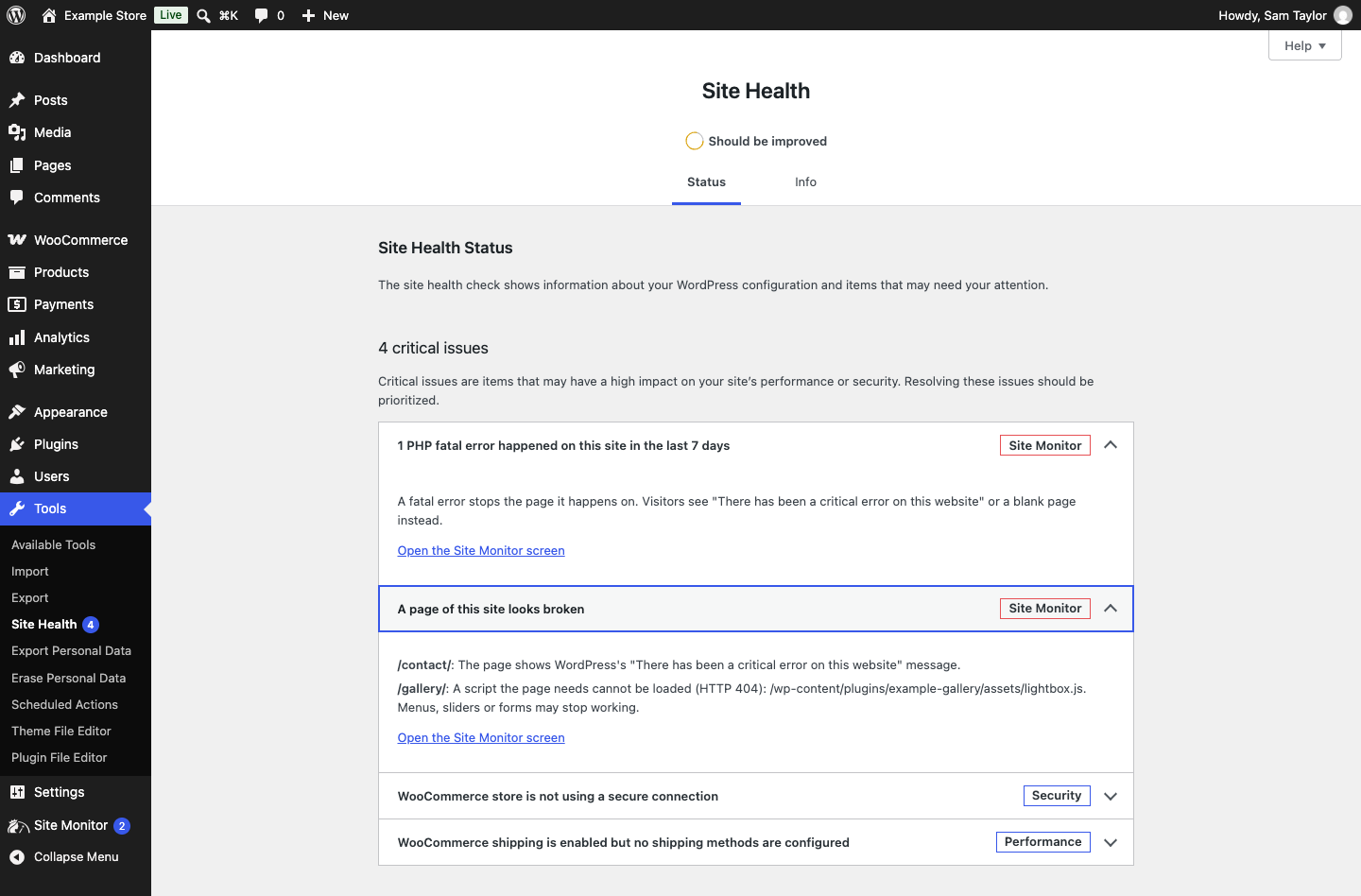
- Adds three checks to Tools > Site Health: PHP errors, page checks and failed emails. When WordPress fails to send an email, the error is recorded, never the recipient or the content.
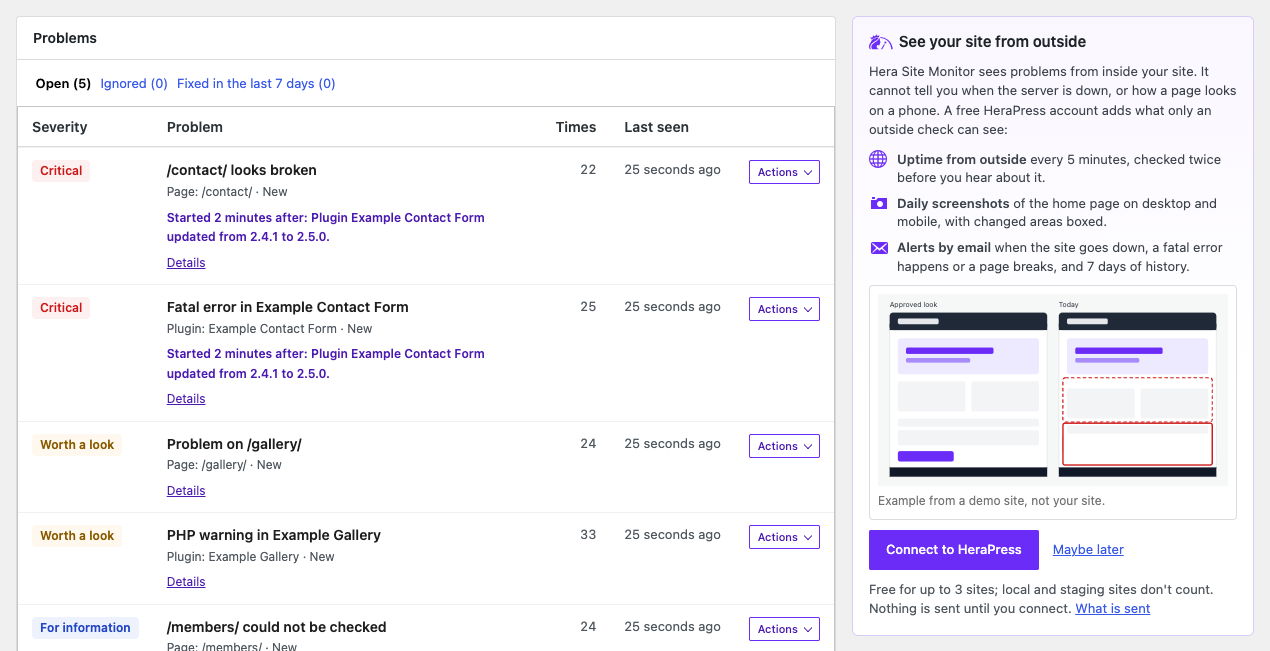
- A Site Monitor screen that opens with one status word and one sentence, then a tile for each thing it watches with this week’s figures, and each problem with what to do. A Page checks screen shows the last 24 results and load times of each page, and a Changes screen puts each problem under the change in the hour before it.
- Mark as fixed for each problem, and Ignore until it gets worse for the ones you know about. Repeats of the same problem are counted on one record, and old problems are removed 30 days after they were last seen.
- Optional: connect the site to a free HeraPress account to keep its problems in your HeraPress dashboard and get an alert by email, and by Telegram once you link a chat, when a fatal error happens or a page breaks. HeraPress also checks from outside whether the site is up, alerts you when it goes down, and takes daily screenshots of its home page, and the Site Monitor screen shows what it saw. HeraPress has a free plan, and paid plans that keep a longer history: connecting is free for up to 3 live sites per HeraPress account, and local and staging sites don’t count.
What it leaves out
- Nothing leaves your site until an administrator clicks Connect to HeraPress. Everything the plugin shows is stored in your own database.
- Even when connected, it sends no orders, no customer records and no content of your pages. Email and IP addresses in an error message are replaced before the message is stored.
- It loads no remote script, font or stylesheet, and its page checks only ask your own site for its own pages.
- It records fatal errors and warnings, not PHP notices or deprecation messages.
- It reads your WooCommerce orders and never places one.
- It writes no file outside its own folder, unless you tick Catch errors earlier, which copies one file into
wp-content/mu-plugins. Deleting the plugin removes everything it stored.
An independent plugin, not affiliated with, endorsed by or sponsored by WooCommerce or Automattic. WooCommerce is a trademark of Automattic Inc.