


The report index
The reports do not search your orders each time you open them. They read from an index the plugin keeps, with one row for each coupon used on each order. This article explains when to build it, how a rebuild runs, and when to use the quicker sync instead.
Both tools are in the Report index box under Affiliate Reports → Settings.
Status
The box shows the index’s status:
- “Not built yet.” A new install starts here, even on a store with no orders.
- “Built. New orders are added to it as they come in.”
The status is read when the page opens, so reload the page to see it change after a rebuild.
While the index is not built, the report screens show a notice with a link here, and payments to affiliates cannot be recorded.
When to rebuild
- Once after installing the plugin, so orders placed before it was installed are added.
- After the plugin was deactivated and activated again, since orders placed or changed in the meantime were not recorded. Deactivating marks the index as not built, so the notice appears and payments wait until you rebuild.
You do not need to rebuild after editing a coupon on its own screen, changing a rate, or changing the order outcome settings. Those take effect on their own.
Rebuild the index
- Click Rebuild index.
- Confirm the message “Rebuild the affiliate index from every existing order? On a large store this takes a few minutes.”
- Keep the page open. “Indexing orders…” and a progress bar show how far it has got, working through 40 orders at a time.
- Wait for “The affiliate index is up to date.”
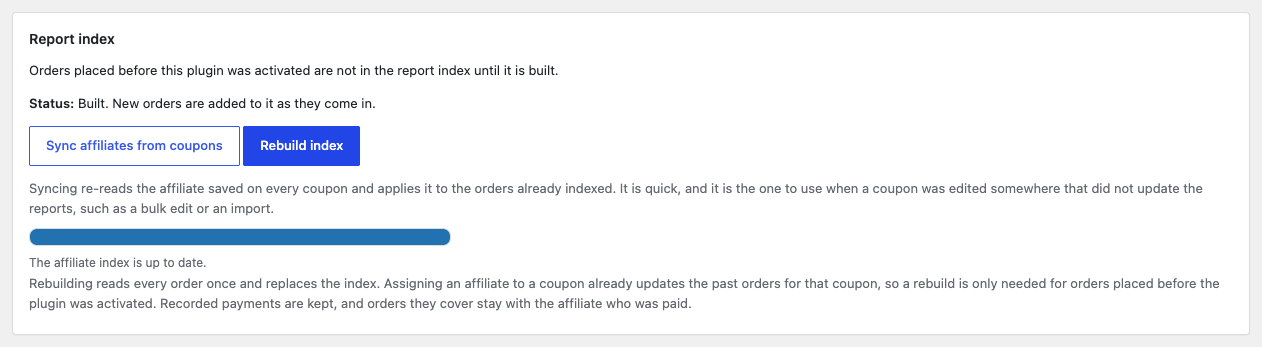
The rebuild starts by emptying the index. Until it finishes, the reports are incomplete and payments are refused. If you close the page halfway, the index stays incomplete: click Rebuild index again and let it finish.
A rebuild reads every order again with each coupon’s current affiliate and rate. It keeps your recorded payments, and orders covered by a payment stay with the affiliate who was paid, at the rate they were paid at. It sends no emails.
Sync affiliates from coupons
Sync affiliates from coupons re-reads the affiliate and rate saved on every coupon and applies them to the orders already in the index. It takes one quick step, with no rebuild.
Use it after coupons were changed somewhere that did not update the reports, such as a bulk edit or an import. When it finishes, it reports what it did, for example “Checked 12 coupons in the index, 9 of them have an affiliate saved, and updated 40 order rows.” Zero updated rows means everything was already in step.
Like a rebuild, the sync leaves orders covered by a payment as they were paid.