


Viewing and deleting a payment
Each recorded payment has its own screen with its details and the orders it covered. This article shows how to find it, print or export it, and delete it if it was recorded by mistake.
Open a payment
Go to Affiliate Reports → Payouts and click the date of the payment under Payment history. The same list, for one affiliate only, is on their statement.
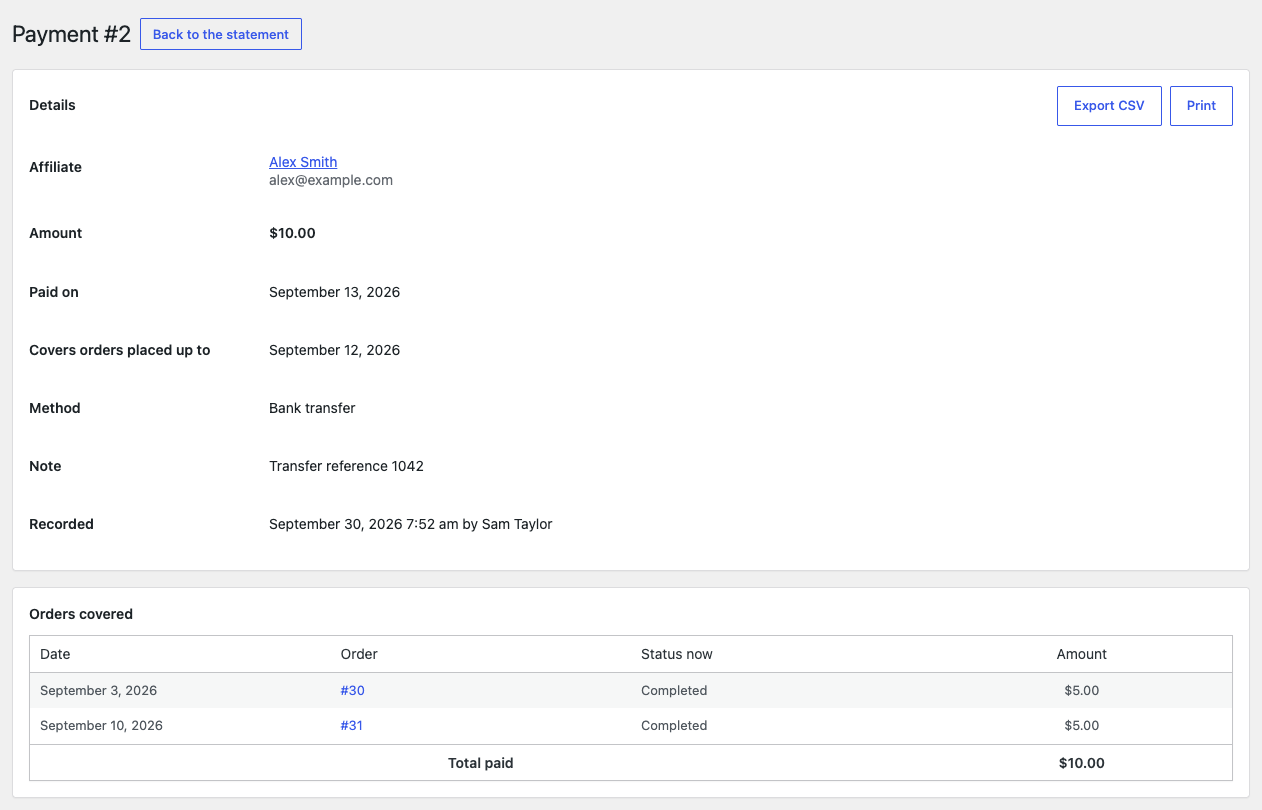
The payment’s screen is titled with its number, for example “Payment #12”, and shows:
- Details: the affiliate, the amount, the date it was paid on, the last order date it covers, the method, your note, and when it was recorded and by whom.
- Orders covered: each order with its date, its status now and the amount paid for it, and the Total paid.
Back to the statement returns to the affiliate’s statement.
Print or export a payment
- Export CSV downloads the orders the payment covered, with the payment’s currency on each line.
- Print opens a print layout of the payment and your browser’s print dialog, where “Save as PDF” keeps a copy. The printed payment leaves out your note.
Delete a payment
Only the payment recorded last for an affiliate can be deleted, because a later payment may already have taken an earlier one into account. “Last” means the one recorded most recently, which is not always the one with the latest paid-on date.
- Open the payment.
- Under Delete this payment, click Delete payment.
- Confirm with OK.
The statement opens with the notice “Payment deleted. The orders it covered are owed again.”
On any other payment, the box explains instead: “Only the most recent payment to an affiliate can be deleted, because a later payment may already have taken this one into account.”
What deleting does
- The orders the payment covered are due again, including any adjustment lines it had settled.
- Those orders follow the affiliate, rate and base their coupon has now, unless an earlier payment also covered them, in which case they keep what they were paid on then.
- No email is sent to the affiliate.